
User Guide · Advocate · Step-by-step
A complete walkthrough of every control — from selecting your party role to reading the brief and running a counter-argument.
In this guide
Four language pills appear at the top of the form: EN, NO, UK, PL. Switching language changes the form labels and the UI only — the agent always outputs the brief in English regardless of this setting. Use your language to read the form more comfortably.
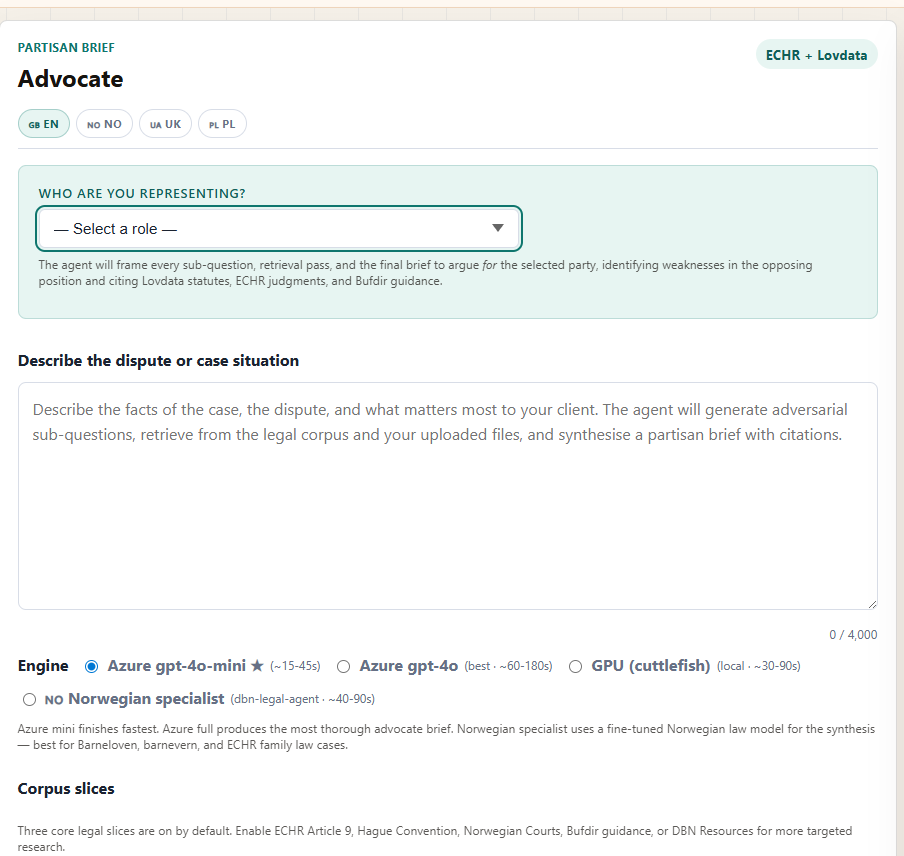
The most important control. Select the party whose position the agent should argue for. The dropdown sets the framing for every sub-question, every retrieval pass, and the final brief.
| Role | Governing law | Typical use |
|---|---|---|
| Biological mother | barneloven · ECHR Art. 8 | Opposing or challenging care orders, contact restrictions |
| Biological father | barneloven · ECHR Art. 8 | Contact rights, parental involvement, procedural challenges |
| Both biological parents | barneloven · barnevernsloven | Joint challenge to omsorgsovertakelse or placement decisions |
| Foster carer / long-term placement | barnevernsloven § 4-19a | Opposing reunification or arguing for continued placement |
| Adoptive parent | adopsjonsloven · barnevernsloven | Adoption approval challenges, post-adoption contact disputes |
| Child (via representative) | barneloven · FNs barnekonvensjon | Child's independent interests — barnets beste arguments |
| Extended family | barneloven · ECHR Art. 8 | Grandparent/sibling contact or kinship placement claims |
| Child welfare services (Barnevernet) | barnevernsloven · fvl | Defending care orders, justifying interventions |
| Other | fvl (general) | Describe in the custom text field — agent adapts framing |
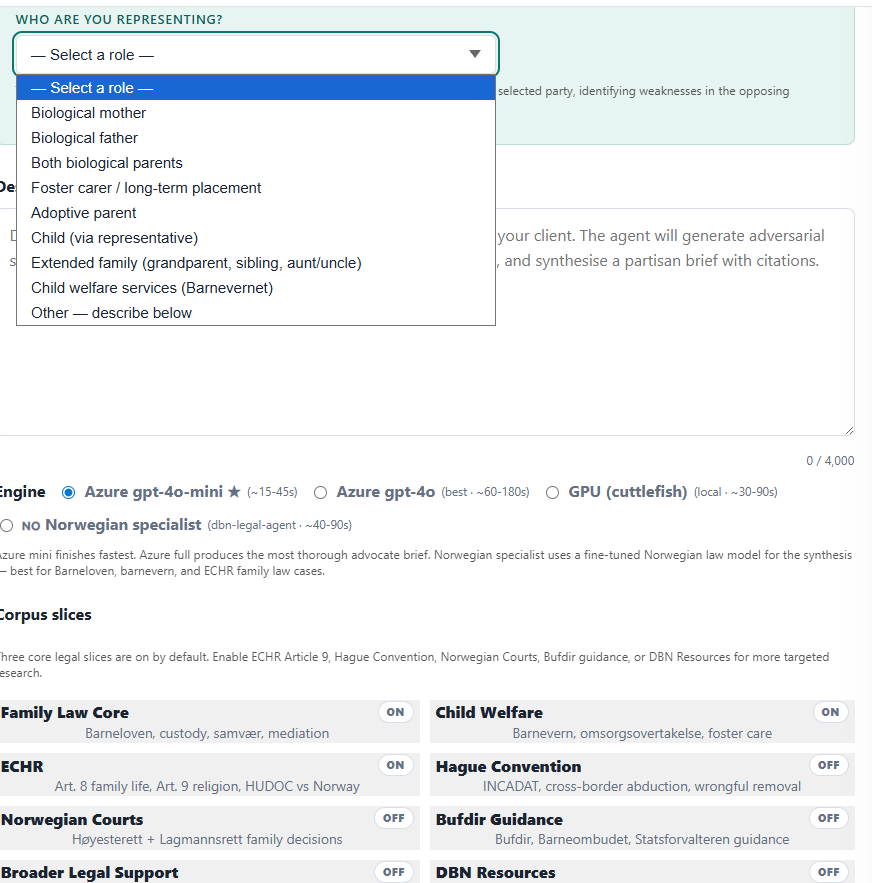
Type or paste the facts of the case — up to 4,000 characters. Describe what happened, what the dispute is, and what matters most to your client. The more specific you are, the more targeted the sub-questions and the more relevant the retrieved statutes.
💡 Tip: include key dates, the names of the bodies involved (e.g. Barnevernet, Statsforvalteren), and the specific decisions being challenged.
Four engines are available. All use the same Hard-RAG pipeline and the same corpus — only the synthesis model differs.
| Engine | Speed | Best for |
|---|---|---|
| Azure gpt-4o-mini ★ | 15–45 s | Fast drafts, most cases — default choice |
| Azure gpt-4o | 60–180 s | Complex multi-party cases requiring maximum depth |
| GPU (cuttlefish) | 30–90 s | Local inference, no Azure dependency |
| Norwegian specialist (dbn-legal-agent) 🇳🇴 | 40–90 s | Barneloven, barnevernsloven, and ECHR Art. 8 — tighter legal register |
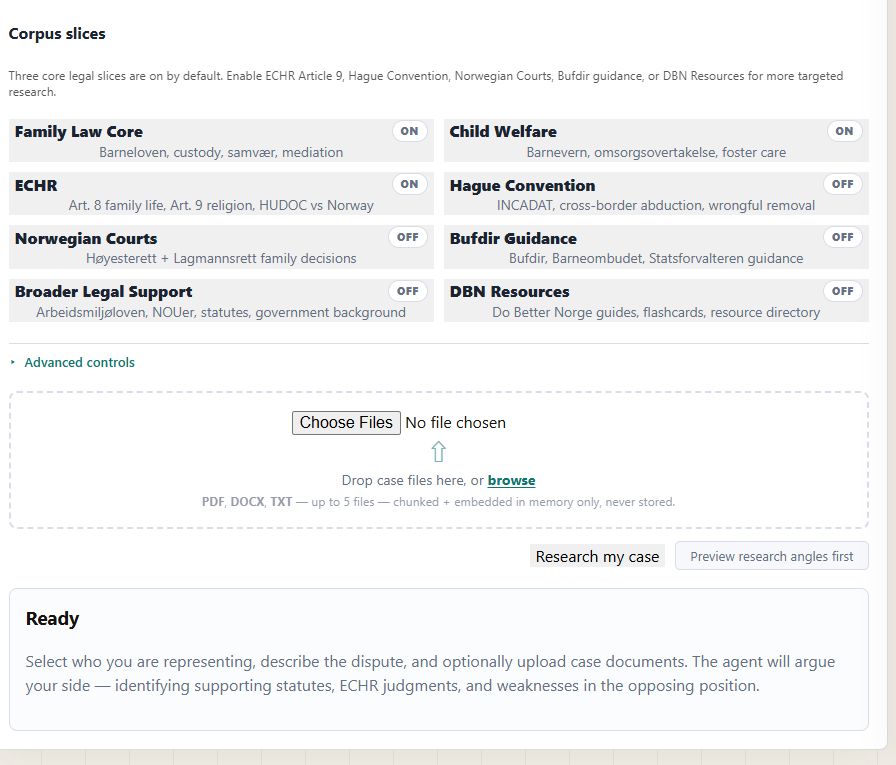
Eight toggleable slices control which parts of the legal corpus are searched. Three are ON by default — the core slices for most child-welfare cases. Enable additional slices for more targeted research.
| Slice | Default | Covers | Enable when |
|---|---|---|---|
| Family Law Core | ON | Barneloven, custody, samvær, mediation | Always — core for all cases |
| Child Welfare | ON | Barnevern, omsorgsovertakelse, foster care | Always — core for all cases |
| ECHR | ON | Art. 8 family life, Art. 9 religion, HUDOC vs Norway | Always — ECHR Art. 8 is central to most cases |
| Hague Convention | OFF | INCADAT, cross-border abduction, wrongful removal | International child-abduction / relocation cases |
| Norwegian Courts | OFF | Høyesterett + Lagmannsrett family decisions | When domestic appellate precedent is key |
| Bufdir Guidance | OFF | Bufdir, Barneombudet, Statsforvalteren guidance | Cases involving procedural compliance by authorities |
| Broader Legal Support | OFF | Arbeidsmiljøloven, NOUers, statutes, government background | Cases with employment, housing, or welfare angles |
| DBN Resources | OFF | Do Better Norge guides, flashcards, resource directory | Supplement with lay-accessible DBN materials |
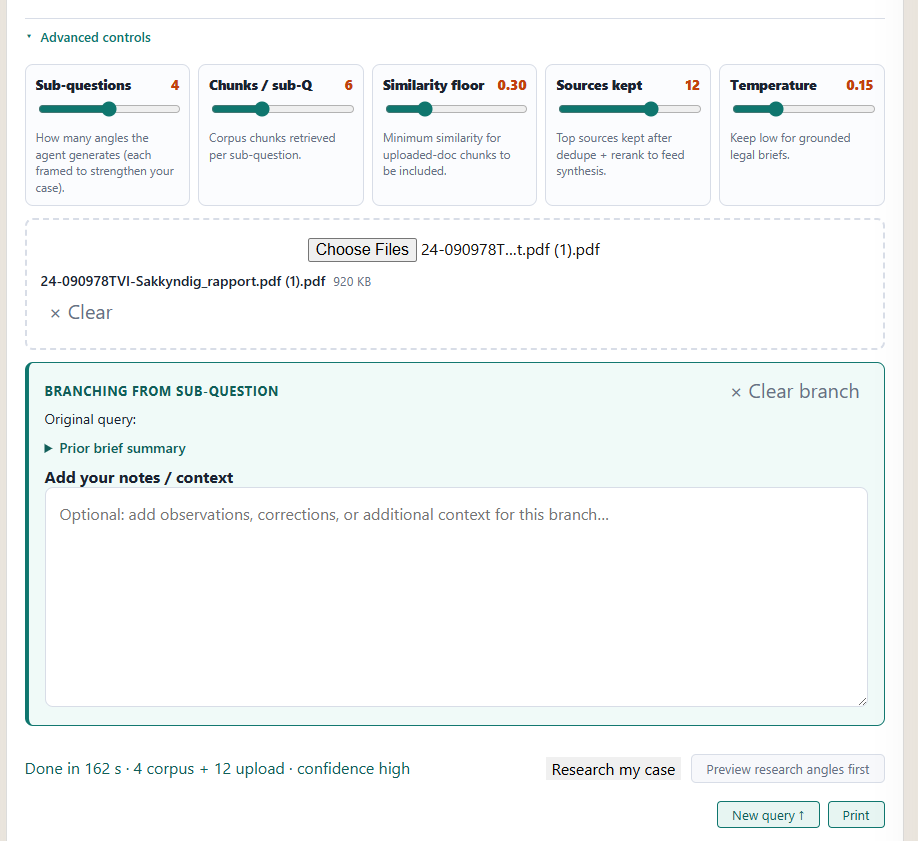
Click "Advanced controls" to expand five sliders that tune retrieval depth and synthesis behaviour. The defaults are calibrated for most cases — adjust only if you need deeper or narrower research.
| Control | Range | Default | What it does |
|---|---|---|---|
| Sub-questions | 3 – 5 | 4 | Adversarial research angles generated per case. More = broader coverage, slower. |
| Chunks / sub-Q | 4 – 10 | 6 | Corpus passages retrieved per sub-question before reranking. |
| Similarity floor | 0.20 – 0.60 | 0.30 | Minimum similarity score for uploaded-doc chunks to be included. |
| Sources kept | 8 – 14 | 12 | Top sources passed to synthesis after dedup and rerank. |
| Temperature | 0.05 – 0.40 | 0.15 | Keep low (≤ 0.20) for grounded legal briefs; raise slightly for more creative framing. |
Drop PDF, DOCX, or TXT files into the upload zone (or click Browse). Up to 5 files. Your documents are chunked into 512-token passages, embedded with nomic-embed-text, and searched alongside the legal corpus in the same retrieval pass. Files are processed in memory only — nothing is stored or retained after your session ends.
💡 Tip: upload the Barnevernet assessment report, court order, or expert report most relevant to the case. The agent will cite passages from your files alongside Lovdata statutes.
Click "Preview research angles first" instead of "Research my case" to see the adversarial sub-questions the agent has generated before it runs the full retrieval. You can edit any sub-question and then click "Run with these angles" — or discard and run fresh.
💡 Tip: use Preview when the case is complex or unusual. Editing a sub-question lets you steer the retrieval toward a specific statute or procedural issue.
The output area has four distinct panels:
A bullet list of the most powerful points in favour of your client, each with inline source numbers. Click a source number to open the full passage in a modal.
The full partisan brief — prose paragraphs grounded in retrieved statutes and ECHR authorities, all framed to argue for the selected party.
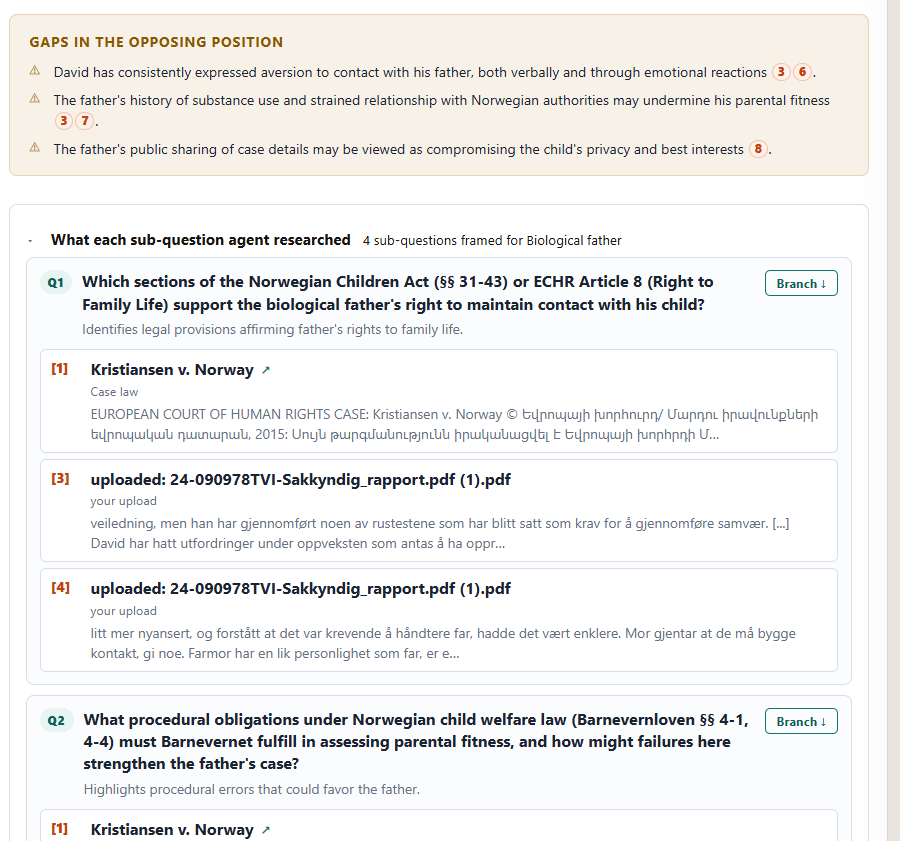
Weaknesses in the other side's case, identified from the same retrieval. Useful for anticipating counter-arguments in court or mediation.
Each adversarial sub-question the agent generated, with its retrieved sources listed beneath. Corpus passages show the Lovdata or ECHR reference; uploaded-doc passages show the filename and excerpt. Click "Branch ↓" to run a deeper dive on any single sub-question.
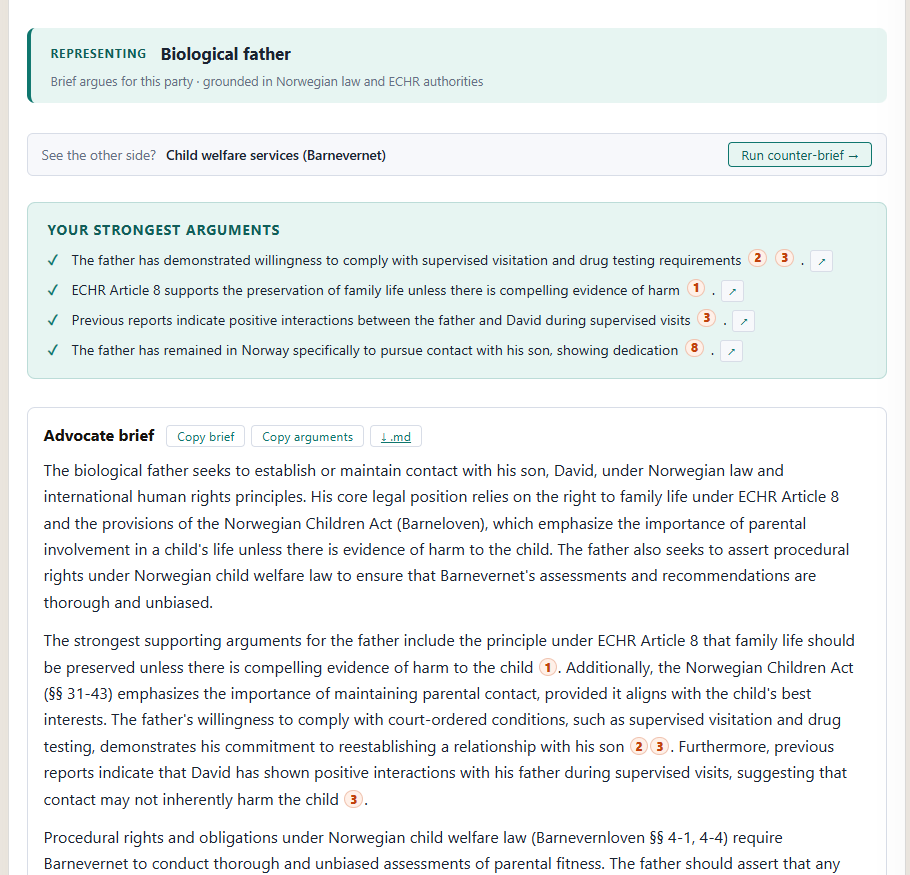
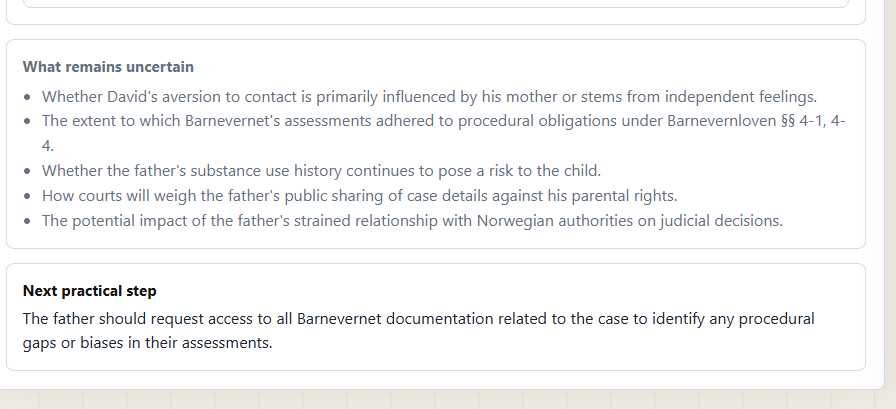
At the top of the output, a banner shows "See the other side? [Opposing party] — Run counter-brief →". Clicking it pre-fills the form with the opposing party role and re-runs the same case description. Useful for stress-testing your arguments before a hearing.
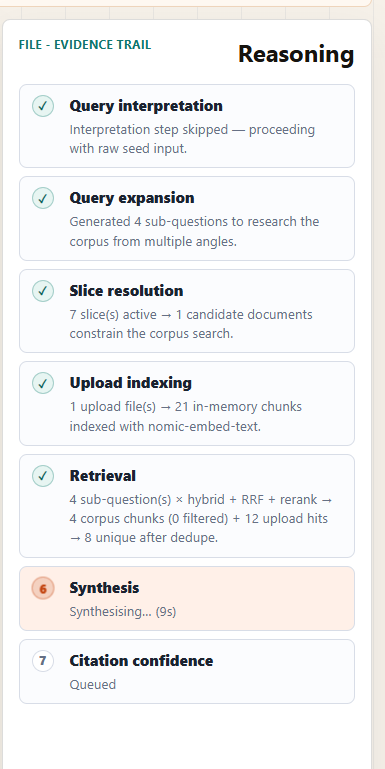
Under the hood
Every step from query interpretation to citation confidence is logged in the Reasoning panel in real time. Nothing is hidden.
Free for Do Better Norge members. No credit card required.