
Events · Deadlines · Milestones
Timeline reads Norwegian case notes, court decisions, and correspondence — then extracts every temporal reference into a sortable, confidence-scored chronology. Know what happened, when, and what comes next.
What you get
Timeline recognises 12+ Norwegian date formats — from 30.07.2015 to tre uker etter vedtaket to hver mandag. Every temporal reference in your document is surfaced, not just the obvious calendar dates.
Every extracted event is tagged HIGH, MEDIUM, or LOW confidence based on how explicitly the date appears in the source. Use the confidence filter to hide uncertain events when you need a clean, defensible timeline.
Below every timeline: a full Evidence Trail listing every source document, a What Remains Uncertain list for dates the AI couldn't resolve, and a single Next Practical Step recommendation for your case.
How it works
Three steps from raw case documents to a complete, sortable timeline.
Upload one file (PDF, DOCX, or TXT) or paste up to 128,000 characters of case text. Add optional context notes to help the AI interpret abbreviations, actor names, or document-specific date conventions.
E.g. "D refers to the defendant throughout. All dates are in 2024 unless stated otherwise."
The engine reads every sentence, recognising Norwegian date formats and classifying each event by type (absolute, relative, recurring, conditional, period) and assigning a confidence score. Focus filters scope the extraction to what matters most for your case.
Returns structured output: date · type · confidence · actor · description · source excerpt
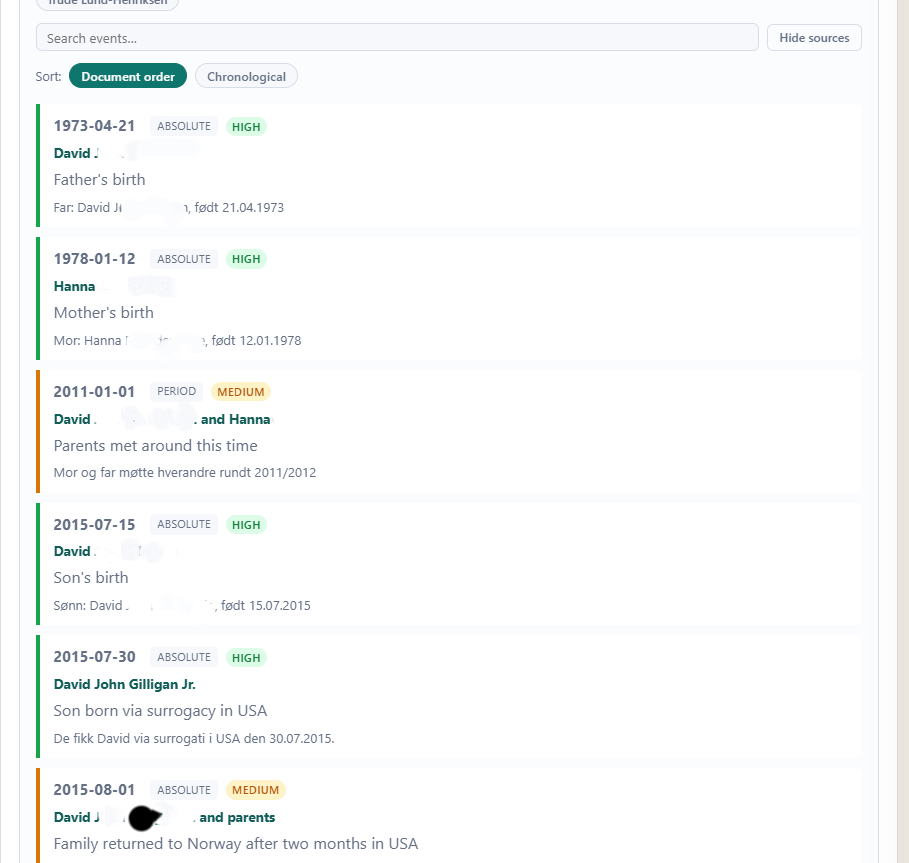
Events appear in document order or sorted chronologically. Search by keyword, filter by confidence, and review each event's source excerpt. The evidence trail and next step recommendation appear below the timeline.
Sort: document order ↔ chronological · Search any keyword · Filter by confidence
Screenshots
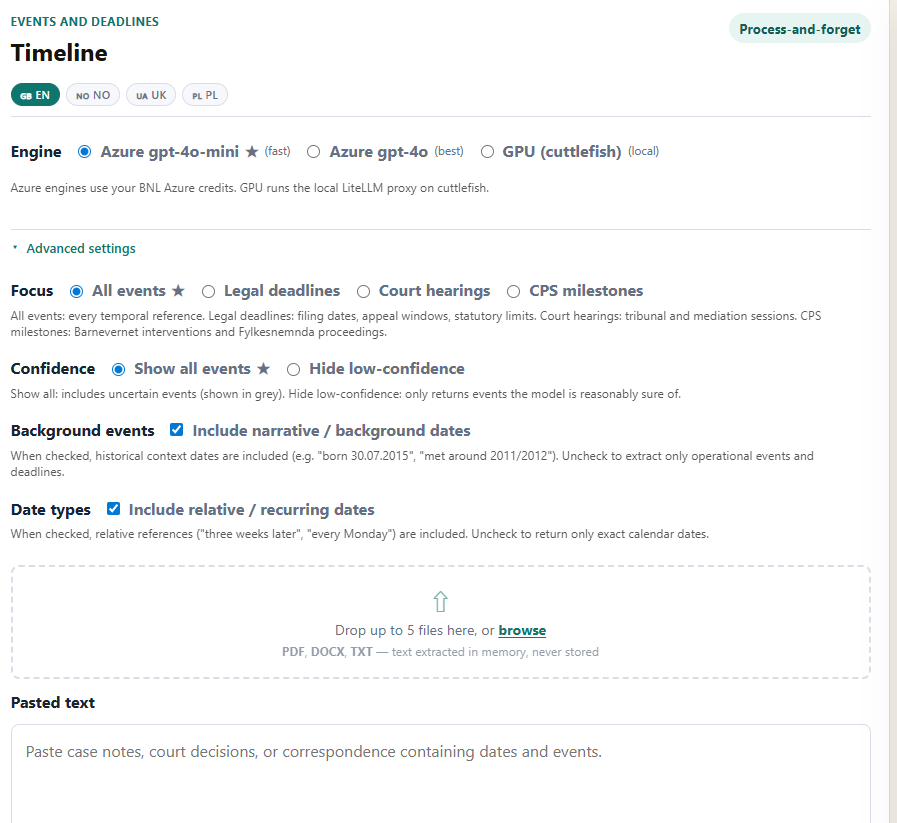
The form: choose engine, focus filter, confidence, background events, and date type settings.
Timeline output: each event shows date, type badge, confidence badge, actor, description, and source excerpt.
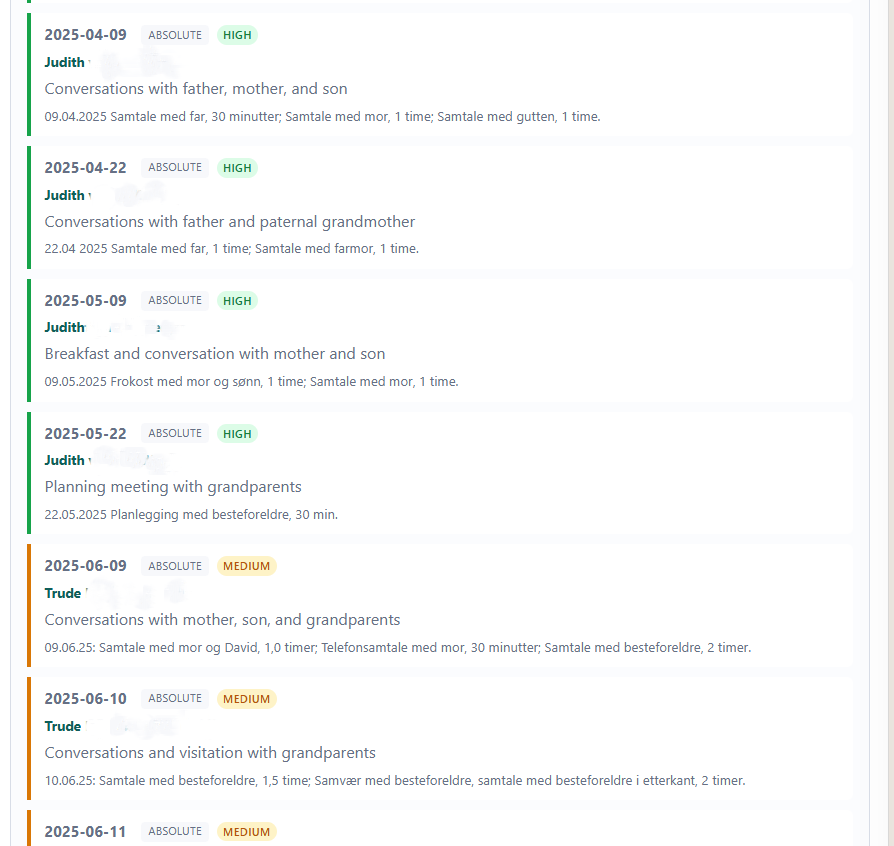
Detailed events from a Barnevernet case, with named actors and verified source excerpts.
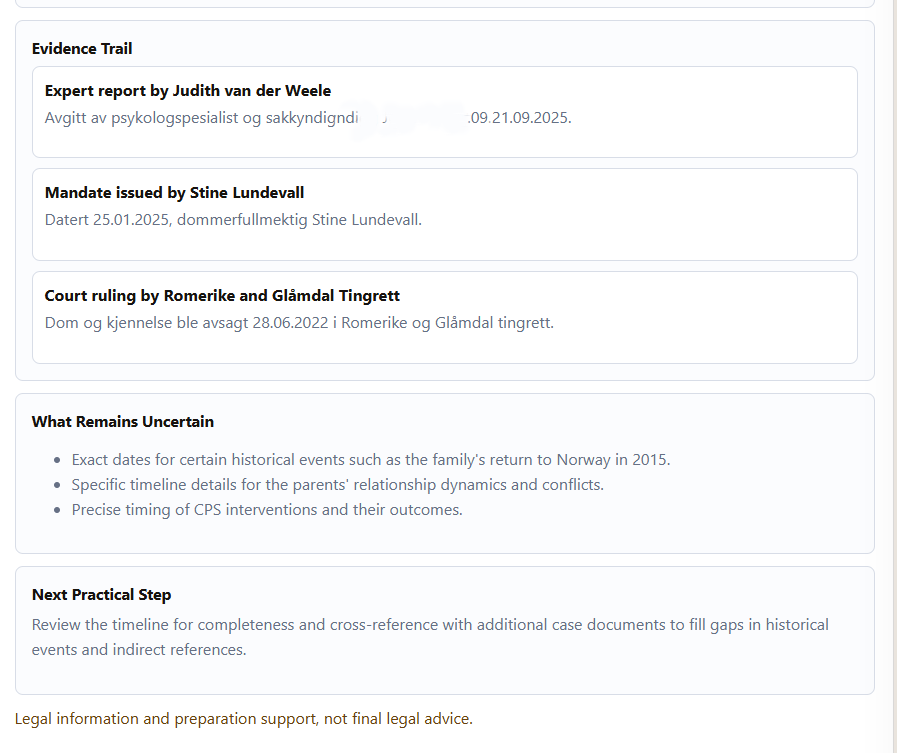
Evidence Trail, What Remains Uncertain, and Next Practical Step appear below every timeline.
Export & live updates
Timeline streams live progress messages to your browser via Server-Sent Events — so you see "Calling gpt-4o-mini…" and "Parsing events…" instead of a blank spinner. When extraction completes, click Export to Word to download a clean .docx with every event, source excerpt, and divider line ready for use in a court submission or case file.
Focus filters
Four modes scope the extraction pipeline to the events that matter most for your situation.
Default. Extracts every temporal reference in the document — background dates, operational events, deadlines, and narrative context. Best for building a complete picture from scratch.
Scopes extraction to filing deadlines, appeal windows, and statutory time limits. Filters out narrative and background dates. Use when you need to know exactly what dates you must act on.
Focuses on tribunal sessions, mediation dates, and court appearances. Ideal for preparing for a hearing or reconstructing the full history of proceedings.
Targets Barnevernet interventions, akuttplassering dates, tiltaksplan milestones, and Fylkesnemnda proceedings. The most targeted mode for child welfare cases.
Free for Do Better Norge members. No credit card required.