
User Guide · Korrespond
A step-by-step walkthrough of every control — from choosing your mode to understanding the output and using the formal citation refine pass.
In this guide
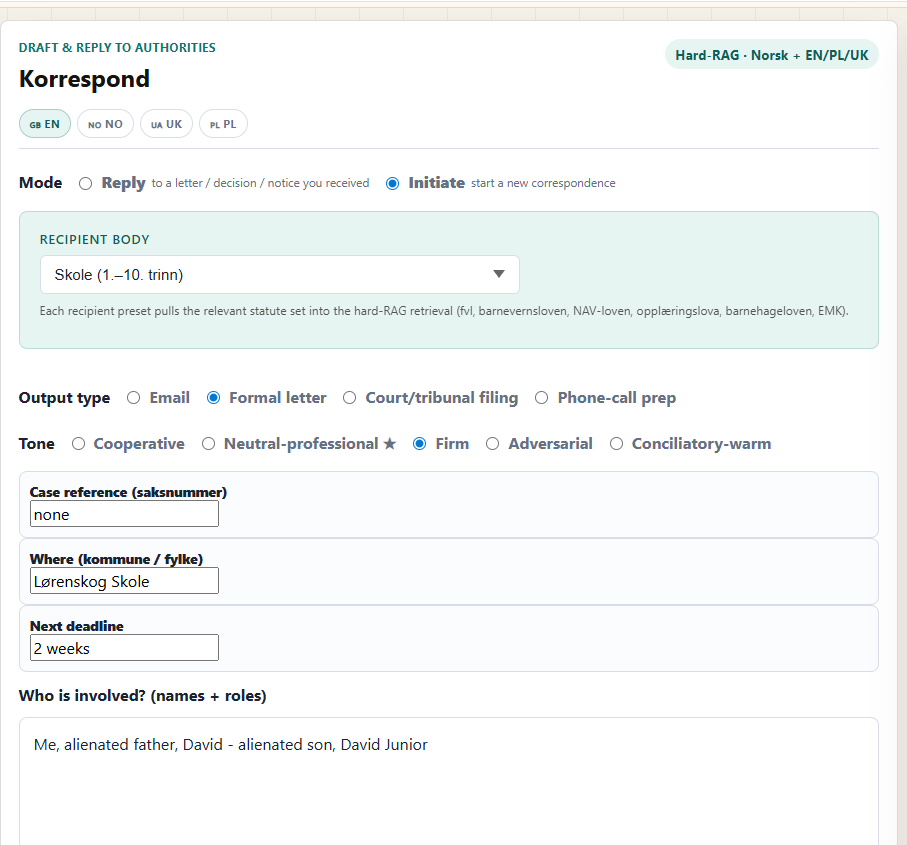
Reply mode is for when you have received a letter, decision, or notice and need to respond to it. Upload the document (PDF, DOCX, or TXT) and the tool will read it as the basis for your reply. You can still add narrative context.
Initiate mode is for when you want to start a new correspondence from scratch — no incoming document. You'll describe the situation in the "What happened" field. This mode is required for the narrative field.
The recipient body dropdown pre-loads the relevant statute set into the Hard-RAG retrieval pipeline. Choosing correctly means the tool searches the right laws — you don't need to know which statutes apply yourself.
| Recipient | Statutes loaded | Typical use |
|---|---|---|
| Barnehage | barnehageloven · fvl | Enrolment disputes, special needs provisions |
| Skole (1.–10. trinn) | opplæringslova · fvl | Access to education, psycho-social environment |
| SFO | opplæringslova · fvl | After-school care disputes |
| NAV | NAV-loven · fvl | Benefit denials, appeal of decisions |
| Bufdir | fvl · EMK Art. 8 | Adoption, surrogacy, family reunification |
| Barnevernet | barnevernsloven · fvl · EMK Art. 8 | Care orders, emergency placements, tiltaksplan |
| Statsforvalteren | fvl · barnevernsloven | Complaints about municipality / Barnevernet |
| Trygderetten | trygderettsloven · fvl | Social security tribunal appeals |
| Tingretten | tvisteloven · EMK Art. 6 | Court filings, procedural motions |
| Kommune (annet) | fvl | Any other municipal body |
| Annet | fvl (general) | Authorities not in the list above |
Choose the format that fits what you need to send.
| Type | When to use it | Structure |
|---|---|---|
| Day-to-day correspondence, quick inquiries, follow-ups | Short subject + body with signature | |
| Formal letter | Official complaints, appeals, access-to-documents requests | Sender/receiver block, date, reference, body, signature |
| Court/tribunal filing | Submissions to Tingretten or Trygderetten | Numbered sections, legal argument structure, prayer for relief |
| Phone-call prep | Before calling a caseworker or authority | Opening line · key facts · statutes to cite if pressed · questions to ask · escalation path |
Tone affects the register and directness of the draft — not the legal accuracy. The AI will maintain correct Norwegian procedural formality regardless of tone.
| Tone | When to use it |
|---|---|
| Cooperative | First contact, relationship still intact, no conflict yet |
| Neutral-professional ★ | Default. Works for most situations — factual, polite, direct |
| Firm | Deadline has passed, previous requests ignored, clear legal obligation exists |
| Adversarial | Formal complaints, escalations, when cooperation has broken down completely. Use intentionally — sets a confrontational tone that can close doors. |
| Conciliatory-warm | De-escalation, apology situations, requesting a second chance or meeting |
Case reference (saksnummer): The reference number on any letter you've received. Providing this helps the AI draft precise references in the header. If you don't have one yet, leave it blank.
Where (kommune / fylke): The geographical location of the authority. This helps the AI address the letter correctly and can affect which specific regulations apply (e.g. local school rules).
Next deadline: If there's a deadline for your response or action, enter it here. The AI will include an explicit deadline reference in the letter where appropriate. Accepts YYYY-MM-DD or plain text like "3 weeks from today".
Who is involved: Names and roles of the key parties — you, any caseworker, the child if relevant, a lawyer, etc. Keep it brief (e.g. "Me (parent), caseworker Anna Hansen, son Ola (age 8)"). Tip: use the Redact tool first if you'll share this externally.
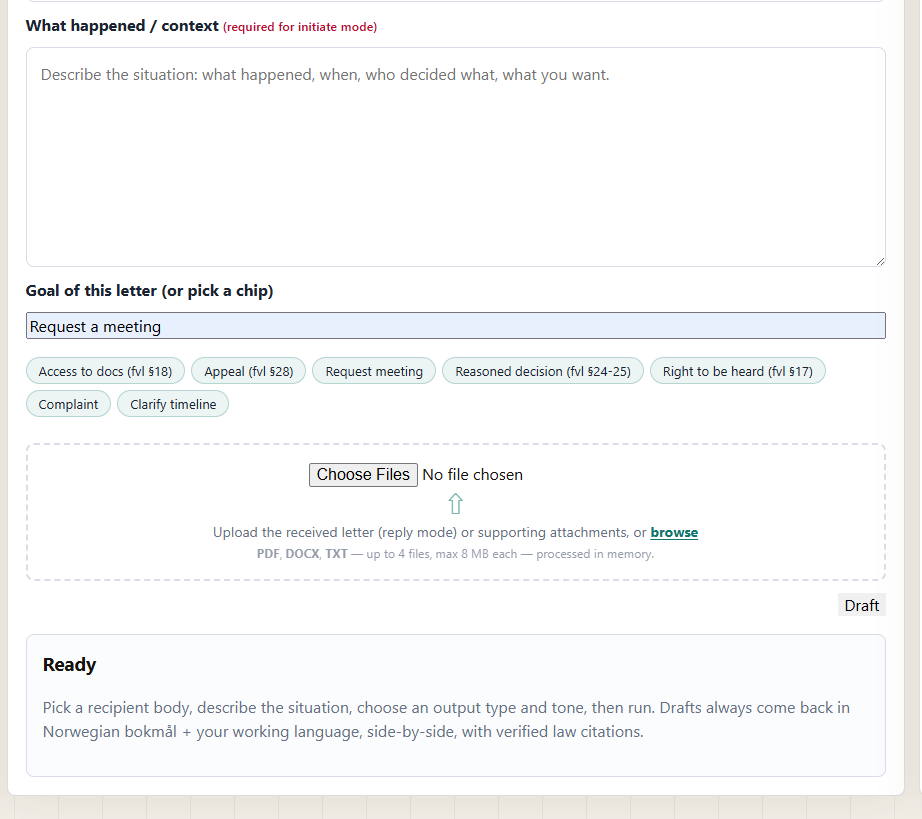
"What happened / context" is the most important field. Write what happened, when, who decided what, and what outcome you want. The more specific you are, the better the draft. 8,000 characters maximum.
Goal chips let you quickly state your legal goal. Click one to auto-fill the Goal field — you can then edit it. Each chip maps to a specific procedural right:
You can type your own goal in the text field instead of — or in addition to — using a chip.
In Reply mode, upload the letter or decision you received. The AI will read and summarise it as the basis for your reply. Supported formats: PDF, DOCX, TXT. Up to 4 files, max 8 MB each.
Convention: the first file uploaded is treated as the primary received letter. Additional files are treated as supporting attachments (e.g. previous correspondence, evidence).
In Initiate mode, uploads are optional — use them to provide supporting context (previous letters, medical reports, etc.).
All files are processed in memory and immediately discarded when the session ends. Nothing is written to disk or retained.
Before drafting, the AI runs a quick classification pass (Pass 1) to understand your situation. If it finds gaps that would significantly affect the quality of the draft — a missing decision date, unclear which child is involved, unknown authority — it pauses and shows a "Before we draft, clarify:" panel with specific questions.
Answer what you can, then click Continue draft. Your answers are merged into the context before Pass 2 runs. This extra step costs no additional credit.
If you're in a hurry or simply don't know the answers, click Draft anyway. The tool will proceed with what it has and flag uncertainties in the output.
Note: the clarify pass is free. Credits are only deducted when the actual drafting (Pass 2) begins.
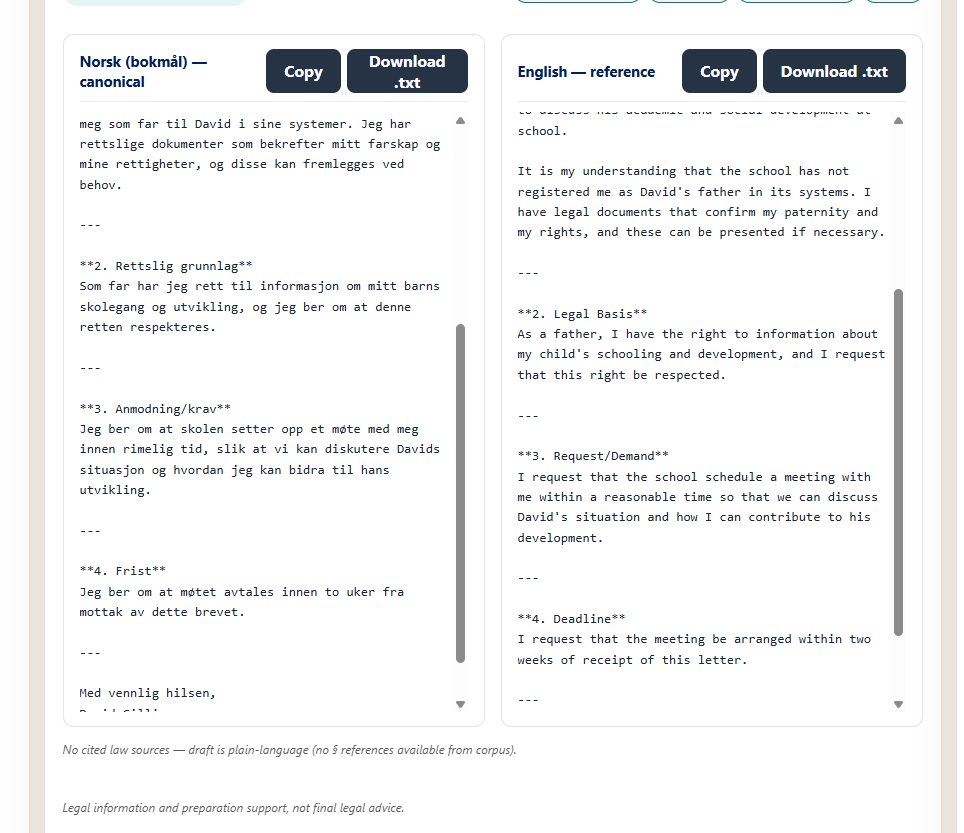
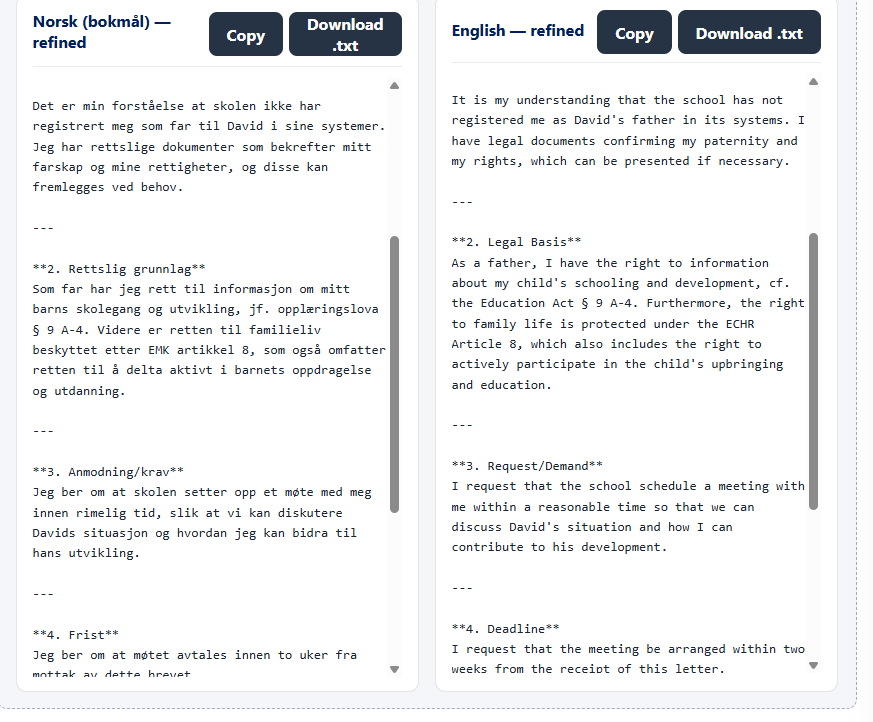
The output has two columns:
Cited law note: at the bottom of the output, a note shows how many law sources were retrieved and cited. If it says "No cited law sources — draft is plain-language", it means no statute matched your situation closely enough to cite — the draft will still be useful but won't include § references. This is the honest behaviour: no fake citations.
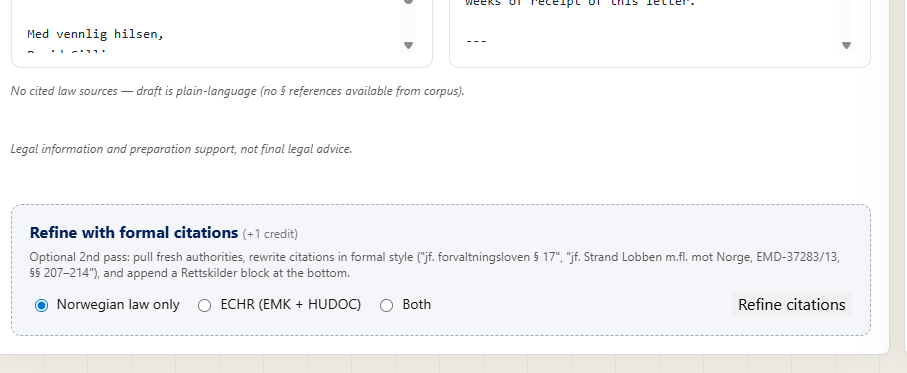
The Refine with formal citations panel appears after the initial draft. This optional second pass (+1 credit) rewrites the draft with court-ready citation style and appends a Rettskilder (legal sources) block at the end.
Choose your jurisdiction scope:
Free for Do Better Norge members.